ByteBox, an Amstrad CPC Emulator : the Making-Of
On this page I'll talk about my journey into making an Amstrad CPC emulator.
The ancestors
A few years ago, I entered in the emulator designing world with an Altair 8800 / Intel 8080 emulator. Then, the 8080 emulator evolved into a Z80 emulator, which was not complete, but complete and good enough to power a TRS-80 emulator. I had a lot of fun in the process of building both the CPU and the machine emulation, step by step, seeing it coming to life, and finally able to execute legacy software.
The TRS-80 emulator is using sdl3 and sdl3_ttf for the window system, grahics rendering, and the keyboard input, and is dependant to its launching terminal for commands (like tape insert) and monitor commands (like setting a breakpoint, disassemble...). The terminal has its own thread for messages reading/sending to the main emulator thread.
The starting point
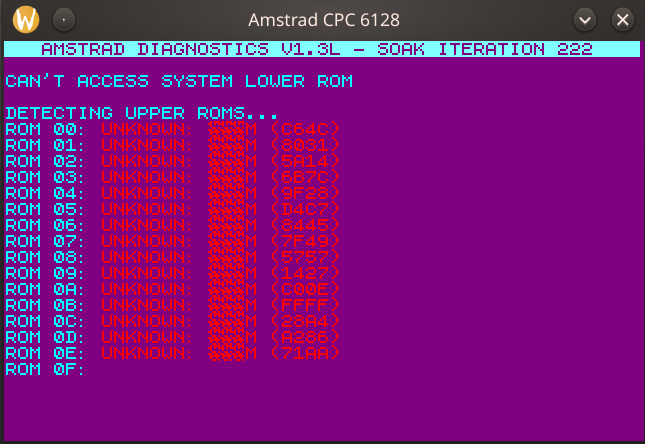
Since a few years, I wanted to make an Amstrad CPC emulator, based on my Z80 emulator, but I suspected the project would be too much work. Recently, I had to use AI more and more at work, and even if at first I was not fan of the idea, I had a try with Gemini to write some emulator bits, and after a few evenings, using some of the TRS-80 and Z80 existing parts, I had a rough version that was able to display something (with the wrong colors) and run something weirdly (a diagnostic ROM); even if not perfect, the result was encouraging.
I was of course aware that the CPC was a far more complex machine than the TRS-80. The Z80 emulator was OK for the TRS-80, it was even passing the zexdoc tests. But some aspects were rudimentary and had never been tested extensively:
- Specific IO instructions
- Interrupts
- Undocumented instructions
And the way the Bus struct was made was very rigid and did not allow complex address decoding without doing horrible code in the emulator itself. Implementing a Trait for this Bus struct solved the problem. It will also solve a problem I had when I wanted to add a disk drive to the TRS-80 emulator: the registers of the controller are IO mapped, and some behave differently depending on wether it's a read or write operation.
Building on the rough version
At this point I had built enough address decoding and memory handling bits to go on towards the first step I had in mind : run correclty the diagnostics rom. Indeed, instead of having a menu, it was immediately entering the "SOAK TEST", and was finding garbage ROMs. Solving that looked simple, but wasn't : some problems were an address decoding problem on the gate array part, some were bugs in the Z80 emulator.
Gemini as a coding assistant quickly showed its limits there, doing back-and forth modifications that did not solve anything, and even worse, telling things like "eureka, I have the solution, I did that and solved the problem", and ending with an even less working version. Mistral was even less convincing. One assistant showed very clearly its superiority : Claude.
To the point I subscribed to Claude Pro, and from there, the development has clearly accelerated. To clarify things, and for those who criticize without even coding things or without using AI themselves : AI is NOT the magical tool that will do everything for you. It understands things and is very helpful in debugging sessions, but it won't do everything by itself. It's more like a partner, I'd even say a very enjoyable partner. Sometimes, he wants to give up with some problems : as a partner, you can give him new leads that will help him.
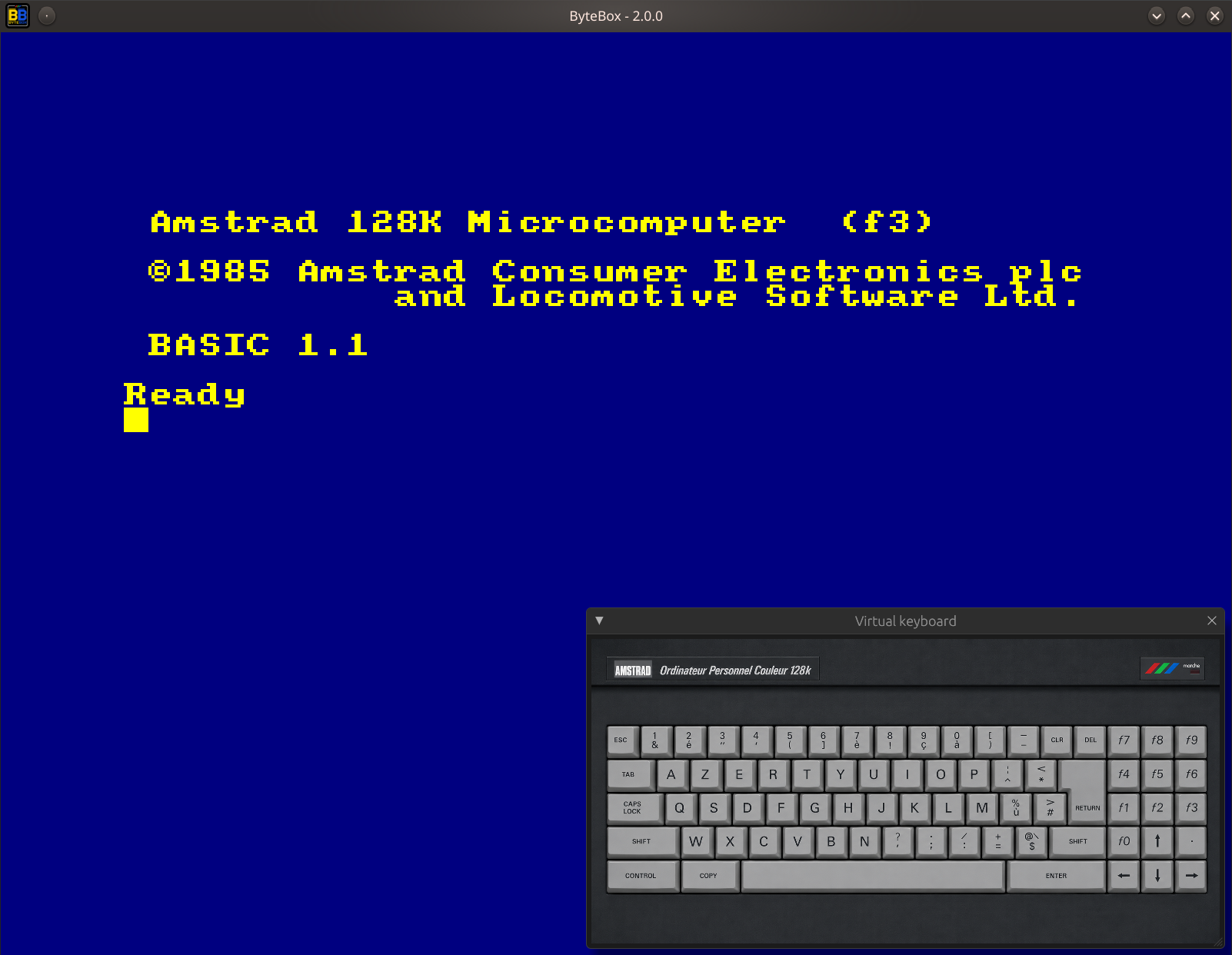
Soon, the emulator core was working pretty well, running the diag rom without issues, starting the Locomative Basic in ROM without rebooting in loop, and even reading disks and starting some games.
Fine tuning
Still, lots of games and software were having issues, ranging from not starting at all, to garbage display, or not behaving correctly. Each had to be treated separetely. There were two main ways to do the debugging:
- by comparing with a reference emulator
- by disassembling the faulty software
There were a lot of timing issues caused by the Z80 emulator, from bad cycles count to incorrect interrupt timing and unimplemented (or badly implemented) instructions, so the Z80 emulator has been greatly improved, with a lot of unit tests beeing added. The rest was a mix of FDC / Gate Array fixes or additions.
The emulator already had strong debug / disassemble / snapshot / machine status display capabilities which helped greatly, and any complex debug would have been impossible without this internal tooling. The fix of all the remaining emulation problems marked the end of the development of the emulator core.
UI, console and web
Since the beginning, I wanted to remove the dependency the (unpublished) V1 still had to the launching terminal to pass commands to the emulator. I also wanted to add a CRT shader, so the choice was made to use sdl/egui/wgpu to handle the display and create the emulator's own console window.
The source code was already very modular, and it was the right time to separate the emulator in two crates:
- the emulator core
- the renderer and the UI
The renderer being responsible for the scaling, displaying the console window and the machine status window, and of the CRT shader. With the help of Claude, it was very quick to adapt the console and the machine status windows to egui.
The CRT shader was on another level, and the first versions were very bad; I needed more theorical background to give Claude the right way to implement it. Lot of feedback has been given to the AI, and several back and forth adjustments were made, and finally I got a version I was very happy with.
From there, creating a wasm version of the core was just a matter of having a SDL abstraction for the inputs, and the renderer was already ready for the web, so the web version of the emulator was very very quick to create (see ByteBox web).
Conclusion
I'm coding since many years, and it was my first personal project for which I had a significant use of AI. Despite mixed initial results with Gemini and Mistral, I can say that the use of Claude was the major help and accelerator to the project. Today, I don't even want to consider large projects without the help of Claude, mainly for two reasons:
- it accelerates development
- debugging is much simpler
I'm very happy with the CRT shader, and very happy with this project as a whole, this emulator is dear to my heart, as the Amstrad CPC was my very first computer in the eighties.

Here you will find the emulator's GitHub page, and you can download it for Linux, Mac, Windows from the releases page. The web version is there.